Submitting a request for an application
If you've built an application you want to make available in the 8x8 App Store, you submit it for review through the Submit App form. A reviewer checks it for completeness and, once approved, publishes it so the tenants you've targeted can install it.
This is the path for getting your own app into the store. Installing an existing app is covered in Installing a free application and Installing a paid app.
Before you start
Have these ready — incomplete submissions are the most common reason for rejection:
- App link — the URL the installed app opens to.
- Admin config URL (if your app needs setup at install time) — where an administrator configures it.
- Open app after install (optional) — tick it if the app should open in a new tab the moment a customer installs it. Meant for apps without an admin config URL, which already opens its own tab.
- Developer details — name, address, email, and website. All four are required and format-checked.
- Images — a background image and a preview image.
- The scopes / services your app needs — keep these to the minimum (see below).
Filling in the form
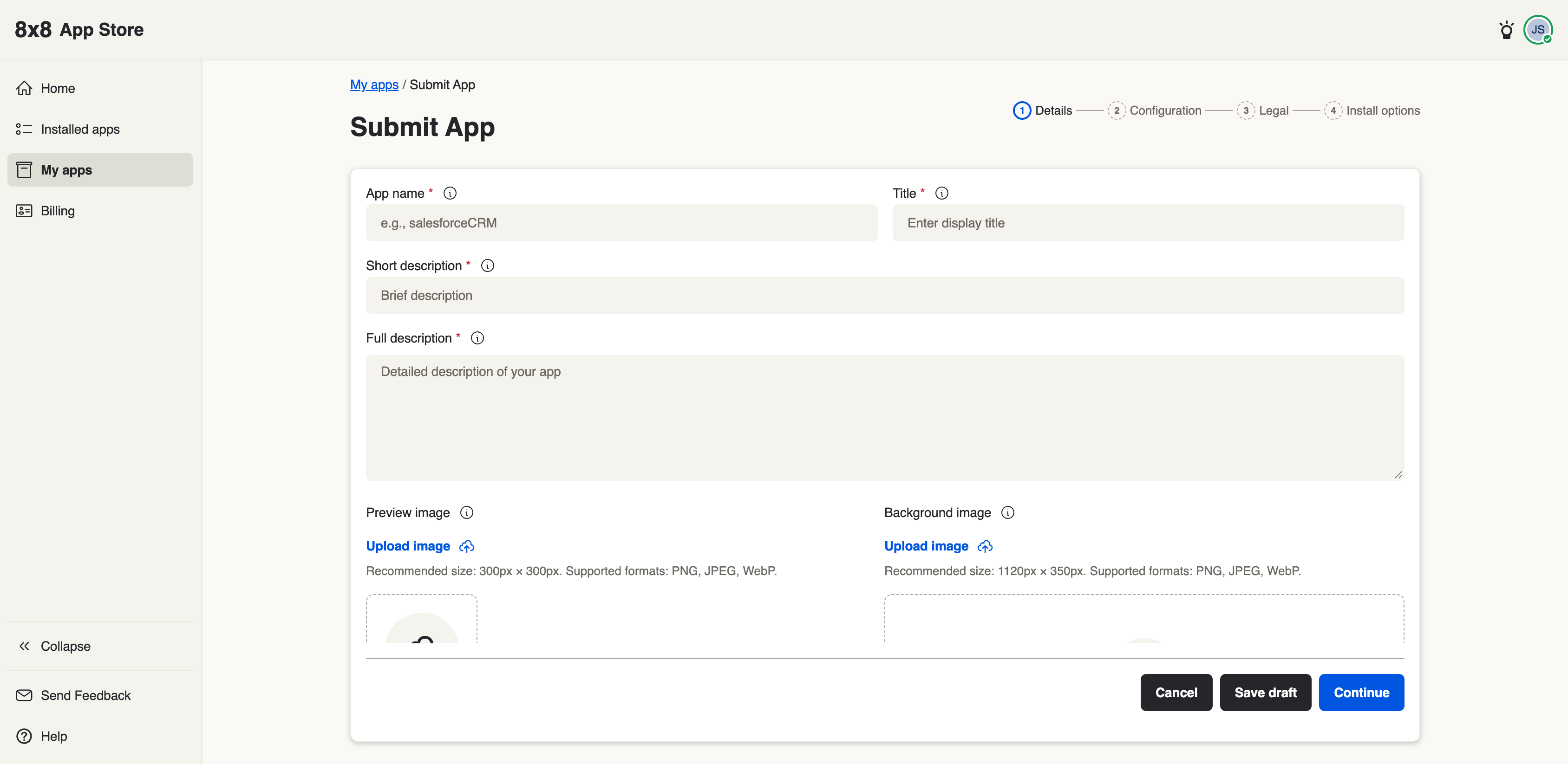
| Field | What to enter |
|---|---|
| App link | The URL your app opens to. |
| Admin config URL | Where an admin configures the app at install, if applicable. |
| Open app after install | Tick to open the app link in a new tab as soon as a customer installs. Off by default. |
| Configuration type | Choose None unless your app requires install-time configuration. |
| Installed app visibility | Who sees the app once installed (e.g. All users). |
| Service types | Only tick a service your app genuinely requires. Every service you tick that a tenant lacks will block that tenant from installing — so leave them unticked unless needed. |
| Stage | The review stage your app targets. |
| Developer | Name, address, email, website — all required and validated. |
| Images | Background and preview images. |
| Legal | The terms of service shown to installers. |
Pick the fewest service types possible. This is the single biggest cause of an approved app failing to install for a customer: it requires a service the customer isn't entitled to. See Scopes & permissions.
What the reviewer does — and what stays yours
- The reviewer validates that the submission is complete, sets up your app's catalog entry, applies your images and legal terms, and publishes it to the tenants you've targeted. They confirm it's presentable and complete — they don't test it as one of your customers.
- You own everything that makes the app actually work once installed: that the right users can open it, that you've requested only the scopes/services you truly need, and that any install-time setup behaves. A reviewer can't catch a mistake in those — test them yourself.
After approval
Once approved and published, the app appears in the App Store for the tenants you targeted, and an administrator installs it the same way as any other app.