Selecting a plan
You reach the Plans page two ways: automatically when you click Install on a paid app and your organization has no plan yet, or directly at any time from Billing → Plans — you don't have to install an app to get here. Either way, this is where you subscribe, and prices are shown in your local currency.
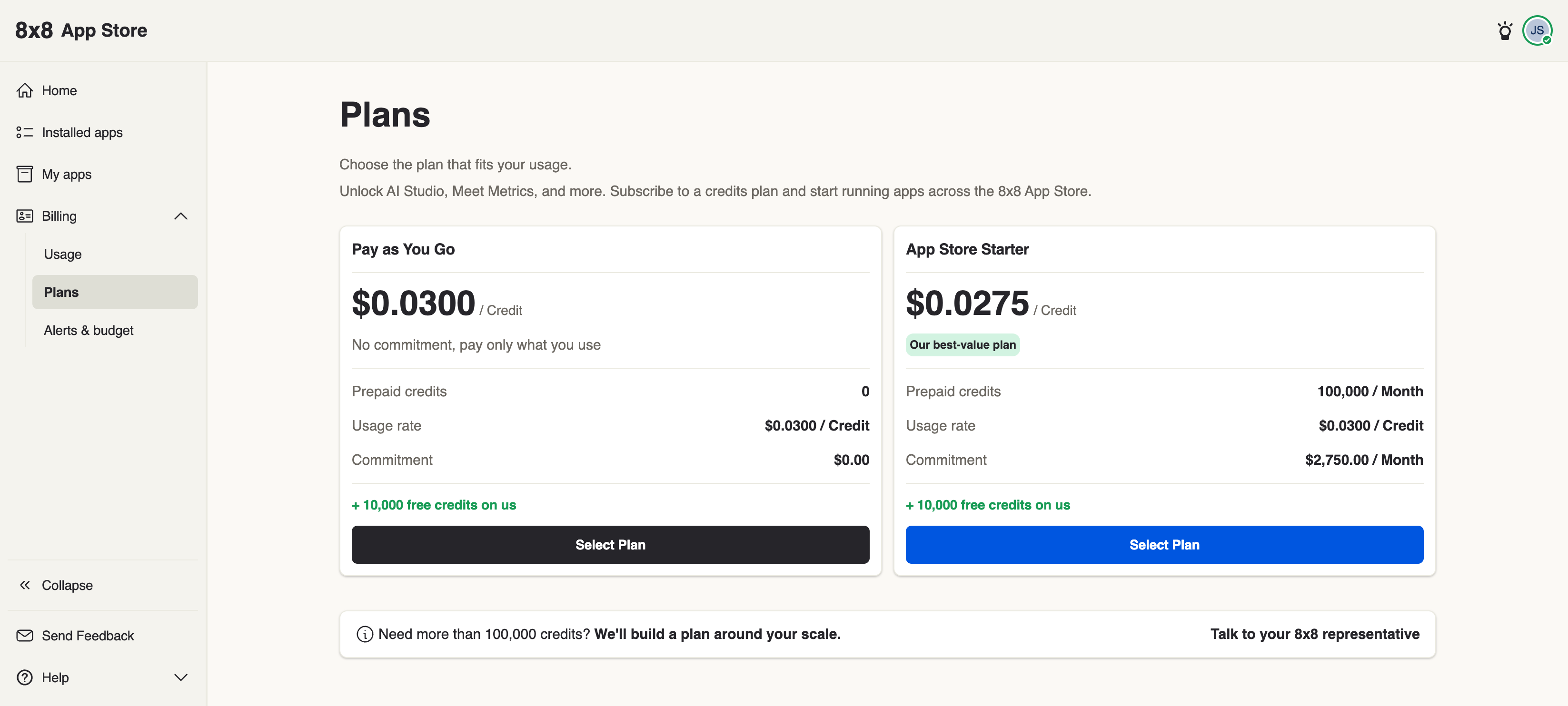
The two plans
Every organization that subscribes receives a one-time grant of 10,000 free credits to get started. Free credits are consumed before any prepaid credits each billing cycle and expire 90 days after they're granted — the expiry date is shown with your free-credit balance in billing.
| Pay as You Go | App Store Starter | |
|---|---|---|
| Price | $0.0300 / Credit | $0.0275 / Credit |
| Prepaid credits | None | 100,000 / Month |
| Monthly commitment | $0.00 | $2,750.00 / Month |
| Overage rate | $0.0300 / Credit | $0.0300 / Credit |
| Free credits | + 10,000 on us | + 10,000 on us |
| Best for | Pay only for what you use — no fixed fee, no contract | High-volume usage at a discounted per-credit rate |
Subscribe to a plan
To subscribe, click Select Plan on the plan you want. You'll see an order summary confirming the costs before you commit.
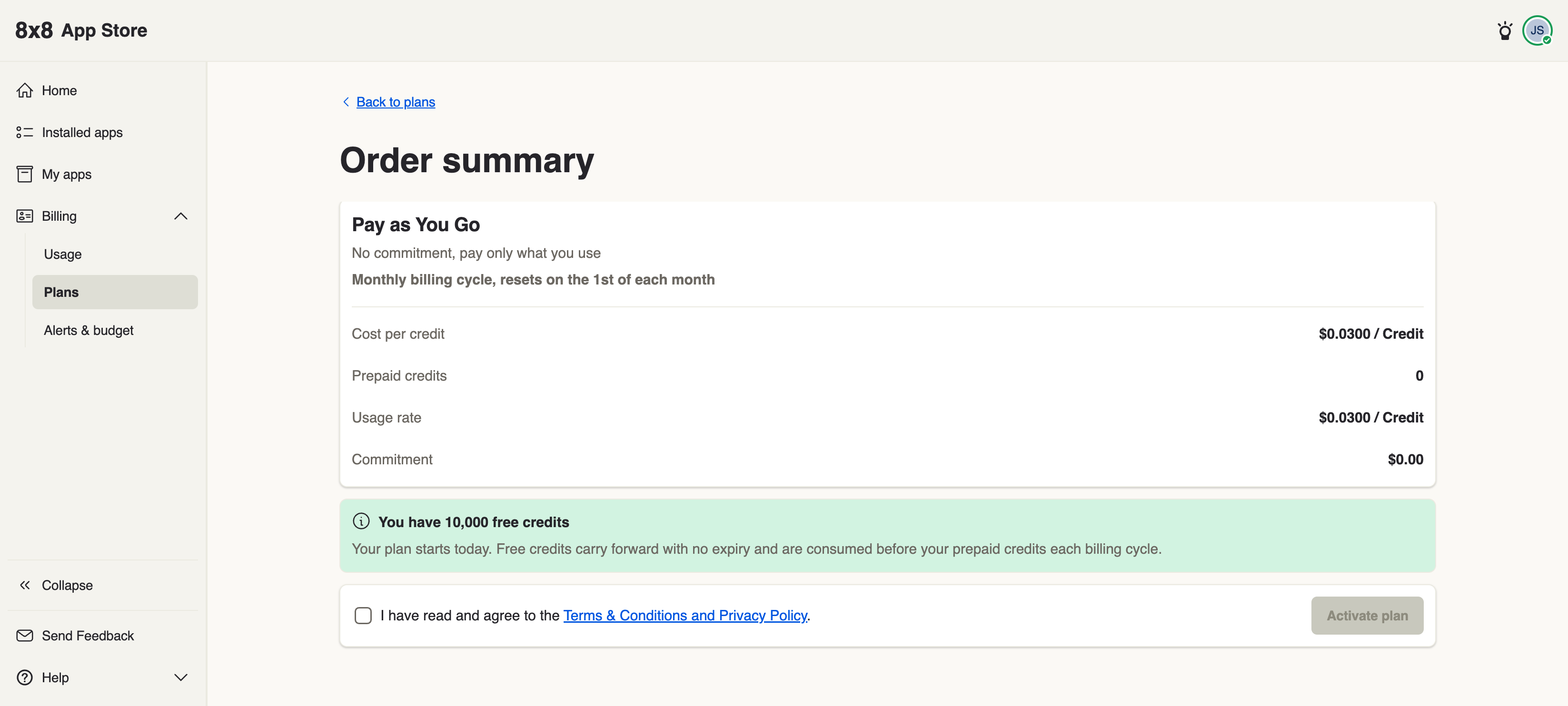
Pay as You Go order summary
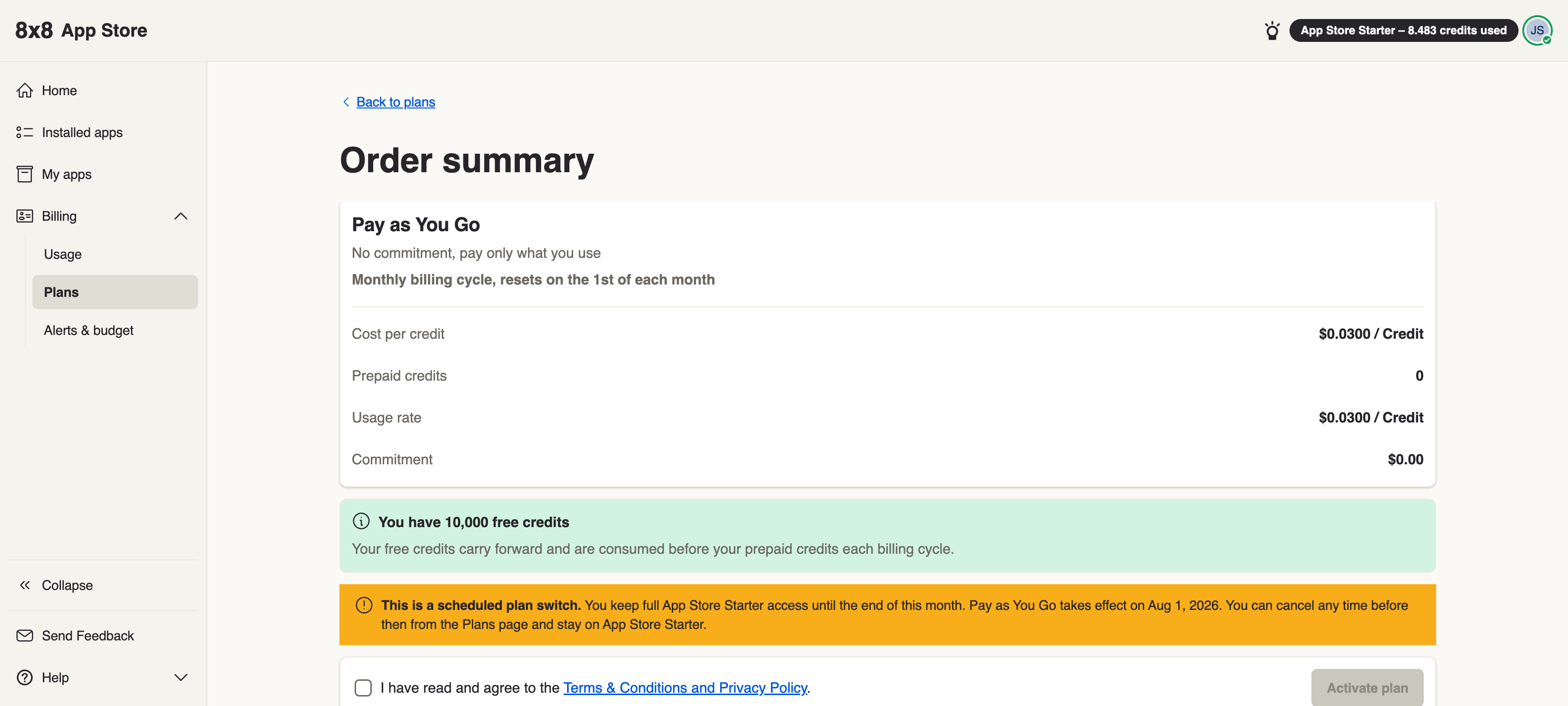
The PAYG plan has no commitment. Your billing cycle resets on the 1st of each month.
App Store Starter order summary
The Starter plan commits you to $2,750.00 per month for 100,000 credits. Your first month is pro-rated — you're charged only for the days remaining in the current billing cycle, and your full monthly fee starts on the 1st of the following month.
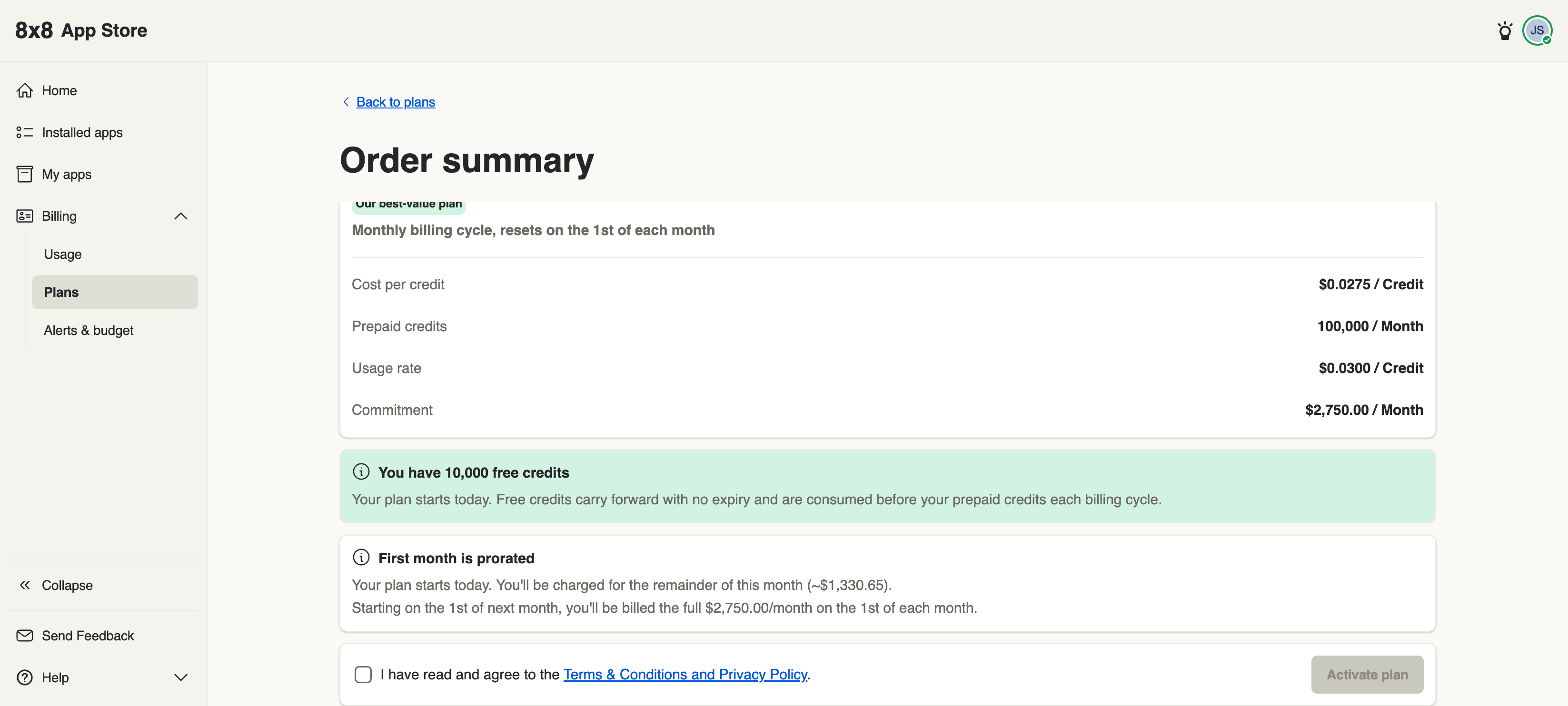
Tick I have read and agree to the Terms & Conditions and Privacy Policy., then click Activate plan to confirm — it stays greyed out until the box is ticked. The Terms & Conditions and Privacy Policy link in that sentence opens the App Store Credits Terms on 8x8.com in a new tab, so you can read them before you agree.
What you see after subscribing
Once subscribed, you can check your usage at any time under Billing → Usage:
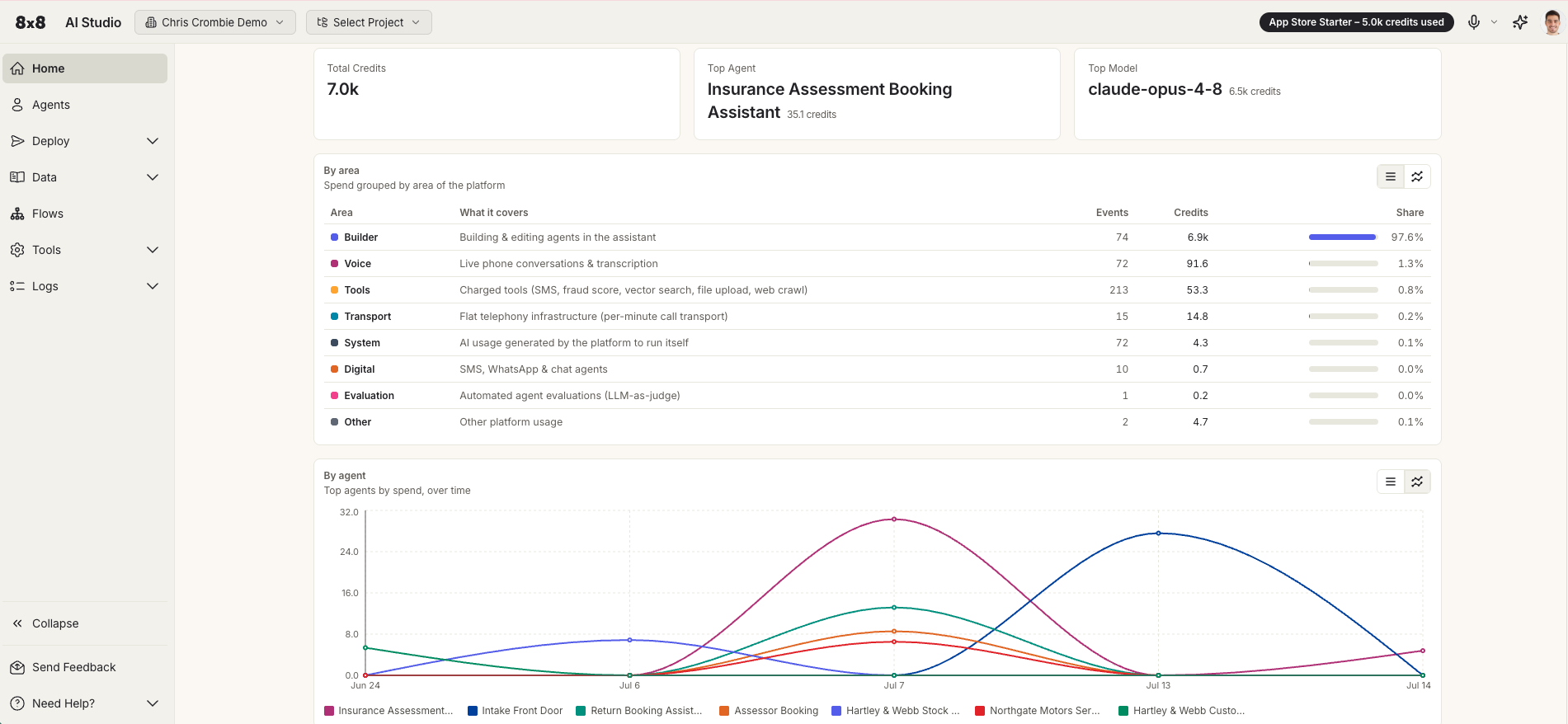
- PAYG — credits consumed so far this billing cycle.
- Starter — how much of your 100,000 monthly bundle you've used, and any overage.
Cancelling or switching a plan
Pay as You Go can be cancelled or switched at any time — changes take effect immediately.
App Store Starter works differently. If you switch away from Starter, it becomes a scheduled plan switch: you keep full App Store Starter access until the end of the current billing month, and the new plan takes effect on the 1st of the following month. You can cancel the switch at any time before then from the Plans page to stay on Starter.
Changing plan mid-month
If you switch between plans partway through a month, your charge is pro-rated to your billing cycle. The pro-rated amount is shown to you on the order summary before you confirm, so there are no surprises.
See Invoices & billing to view charges and check your credit balance.